


 By Anna
A remote mower is booked to leave one job site for another, and the dispatcher needs to know what must be confirmed before the trailer is loaded. Remote control mower transport starts with the machine, the vehicle, the documents and the people signing off — all of which have to line up first.
Build a move record before loading: confirm the exact machine and configuration, obtain model-approved lifting and tie-down information, check the carrier’s rules and equipment ratings, assign named responsibilities, and pause the move wherever an approval is missing. This article shows how to structure that record rather than how to load a specific mower.
Remote control mower transport: Identify the machine and move
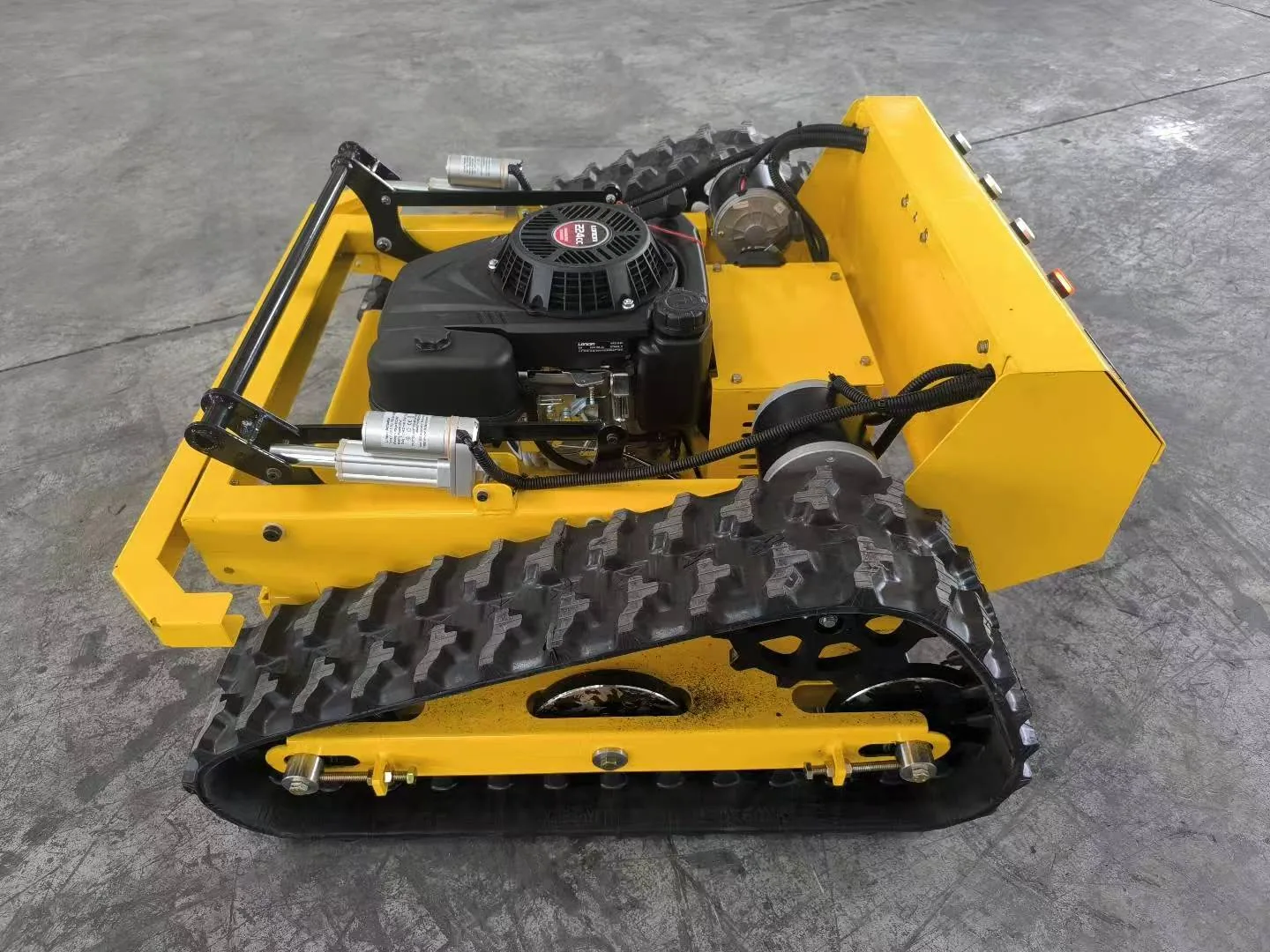
The first control point is identity. A fleet move is not a generic “mower” task; it is a specific unit with a serial number, a configuration and a destination. Dispatchers who start with the trailer schedule rather than the machine record often discover at the ramp that the unit has an attachment, a battery arrangement or a control setup that the transport paperwork does not describe. The move record should be opened from the machine file, not from the driver’s calendar.
Record model, configuration and transport mode
Write down the model designation, serial number, and the configuration as it will travel. That means noting installed attachments, the control configuration, and whether the machine is being moved as a complete unit or in any other form the manufacturer permits. The public Super Mowers product catalogue lists categories and models, but it is not proof of every configuration that may exist in a fleet, so the record must come from the unit itself and its own documentation.
Transport mode also belongs here. A machine carried on a flatbed trailer, in an enclosed trailer, or moved by a specialist carrier presents different questions to the carrier and different documentation needs. The record should state the intended mode and who selected it. If the mode changes, the record changes with it.
The Super Mowers applications page treats rental and fleet transport as an input to selection and handover planning. That is a planning context, not a statement that any particular model has verified transport points. Treat it as a reminder to ask, not as an answer.
Separate operating mass from catalog and shipping mass
Mass is where transport paperwork most often goes wrong. A catalogue figure, an operating mass with fuel and attachments, and a shipping mass prepared for freight can all differ. The move record should carry the figure that matches the actual condition of the machine at the time of the move, with its source named.
Do not copy a number from a brochure into a load plan without checking what it describes. If the unit will travel with an attachment fitted, the record should say so and should identify which mass figure accounts for it. Where the correct figure is not available from the machine’s own documentation, mark it as an open question for the manufacturer or dealer rather than estimating.
| Record field | What to enter | Source to cite | If unknown |
|---|---|---|---|
| Model and serial number | Exact unit identity | Machine plate or unit file | Do not load; resolve identity first |
| Configuration as travelled | Attachments, control setup, battery arrangement | Unit inspection record and manual | Ask manufacturer or dealer |
| Mass figure used | Operating or shipping mass, as defined | Manual or freight document | Mark as unconfirmed; do not estimate |
| Transport mode | Trailer type or carrier service | Dispatch decision | Confirm with carrier |
| Destination and receiving contact | Site, date, named receiver | Job schedule | Hold the move |
Gather loading and restraint documents

The second control point is documentation. Loading and restraint are not improvised at the ramp; they follow information that should already exist for the model. The dispatcher’s job is to collect that information and confirm it covers the exact unit, not to write a loading procedure from general knowledge.
Ask for model-approved attachment points and ramp limits
Request the manufacturer’s or dealer’s information on approved lifting points, approved tie-down points, and any stated limits for loading via ramp. These are model-specific. A point marked on a machine for one purpose is not automatically approved for another, and a ramp angle that appears in another manufacturer’s material does not transfer to your unit.
The SPIDER ILD01G operator manual, covering units from serial number 2474 onward in its 2019 revision, is a competitor document included here only as an example of the kind of transport and tire information a manual may contain. It is not a Super Mowers manual and cannot be used to set limits for a Super Mowers machine. The same caution applies to the GRH remote mower transport guide, which is a competitor editorial article rather than a manufacturer’s manual or universal legal advice.
If the approved information for your exact model is not in hand, the correct entry in the move record is “not confirmed” with a named person responsible for obtaining it. Loading should wait.
Obtain transport equipment ratings and applicable rules
Restraint equipment and the trailer itself have ratings. The move record should identify the carrier, the vehicle, and the rated capacity of the securement equipment being used, with the carrier confirming that the combination is adequate for the machine’s mass and dimensions. The dispatcher does not need to certify the engineering; the dispatcher needs evidence that the responsible party has done so.
Regulatory context matters and must be attributed carefully. The FMCSA cargo securement rules apply in the US federal interstate motor-carrier context, and actual applicability depends on the operating entity, the route and the shipment. This article does not offer a legal conclusion about any particular move. Where the shipment falls within a regulated context, the carrier and the operator’s own compliance function should confirm the requirements that apply.
| Document or confirmation | Who provides it | Why the dispatcher needs it |
|---|---|---|
| Model-approved lifting and tie-down points | Manufacturer or dealer | Prevents use of unapproved points |
| Ramp or loading limits for the model | Manufacturer or dealer | Sets the boundary for the loading method |
| Vehicle and securement equipment ratings | Carrier | Shows the combination suits the load |
| Applicable securement rules for the route | Carrier and compliance function | Establishes the governing requirement |
| Destination access and unloading arrangements | Receiving site | Avoids an undeliverable move |
Use a document-based move record

Application review
Discuss your mowing application.
Share the working condition, target market, product family and project scope.
A move record is only useful if it shows who owns each item and what happens when something is missing. The third control point is therefore responsibility and status, not more description of the machine.
Assign responsibilities and record missing approvals
Every line in the record should have a named owner and a status. Owners are usually the dispatcher, the operator or site supervisor releasing the machine, the carrier, and the receiving site contact. Status should be simple: confirmed, pending, or not applicable with a reason.
The most valuable column is the one that records missing approvals. When an approval is absent, the record should state what is missing, who is chasing it, and the date it was requested. A move that proceeds with a blank approval column is a move with no defensible handover. Give the dispatcher authority to hold the trailer until the blanks are closed.
| Move record line | Typical owner | Status options | Action when pending |
|---|---|---|---|
| Machine identity and configuration | Dispatcher | Confirmed / Pending | Hold loading until resolved |
| Approved lifting and tie-down points | Manufacturer or dealer | Confirmed / Pending | Do not load; escalate to supplier |
| Ramp or loading limits | Manufacturer or dealer | Confirmed / Pending | Do not load; escalate to supplier |
| Vehicle and securement ratings | Carrier | Confirmed / Pending | Hold trailer; request written confirmation |
| Applicable securement rules | Carrier and compliance function | Confirmed / Pending / Not applicable with reason | Record the basis for the decision |
| Receiving contact and access | Receiving site | Confirmed / Pending | Confirm before departure |
| Pre-move condition note | Releasing operator | Recorded / Pending | Complete before loading |
Keep detailed loading and restraint actions in the approved manuals
This plan deliberately stops short of describing how to drive a machine onto a ramp, where to place straps, or how many restraints to use. Those actions belong in the approved manual for the exact model and in the carrier’s procedures. A blog article, a competitor guide or a general transport page cannot substitute for them.
The dispatcher’s deliverable is the record that proves the right documents were obtained, the right people signed, and the right questions were escalated. That division keeps the plan useful without turning it into an unverified operating instruction.
Close the handoff

The fourth control point is the receiving end. A fleet move is complete when the receiving crew has the machine, the record and a clear statement of its condition.
Record condition and any issues for the receiving crew
Before loading, note the condition of the machine in a way the receiver can check: visible damage, tire condition, attachment status, and anything already flagged for service. After unloading, the receiving contact records what they observe and any discrepancy against the pre-move note. Both entries sit in the same record so the two ends of the move can be compared.
Any issue found during the move — a damaged guard, a loose item, a missing accessory — should be written down with the time and the person who found it, and routed to the person responsible for the machine’s next use. Do not rely on a phone call alone.
Distinguish fleet moves from first-delivery inspection
A first delivery is an acceptance event: the buyer checks the machine against the order and decides whether to accept it. A fleet move between sites is an internal transfer, and the receiving crew is checking continuity, not purchase acceptance. The two records should not be merged, because they answer different questions and involve different signatories.
Keeping them separate also prevents a common error: treating a fleet transfer as if it re-triggered warranty or acceptance terms. Those questions belong to the original supply documents, not to the move record.
FAQ

Are all marked lifting points approved tie-down points?
No. A point marked on a machine for lifting is not automatically approved for restraint, and the reverse is also true. Use only the points the manufacturer identifies for the specific purpose, for the specific model. If the manual does not clearly identify a point for the purpose you need, ask the manufacturer or dealer before loading.
Can a competitor’s ramp angle be used for my mower?
No. A ramp angle published by another manufacturer, including the competitor manual and editorial guide referenced in this article, describes that manufacturer’s machine and conditions. It does not establish a limit for your unit. Use the loading information approved for your exact model, and record the source.
Who confirms the rules for a specific shipment?
Responsibility is shared and should be written down. The carrier confirms vehicle and securement arrangements and the rules that apply to its operation; the operator’s compliance function confirms the organisation’s own obligations; the manufacturer or dealer confirms model-specific lifting, tie-down and loading information. The dispatcher records who confirmed what, and when.
Conclusion

Confirm the machine, the documents, the carrier’s rules and the named sign-offs before the trailer is loaded, and hold the move wherever an approval is missing. Start by opening a move record for the next unit on your schedule.
For background on remote-control mower categories and fleet use, see the commercial remote control lawn mower and remote control mower TCO pages, and browse the Super Mowers product listing.
Video: This is the fastest way to strap down your mower!
